
About
Cursor is an AI code editor and coding agent for understanding codebases, planning and building features, finding and fixing bugs, reviewing changes, and connecting to existing development workflows. It combines Agent, Tab completions, Composer, model choice, MCP, skills, hooks, cloud agents, Bugbot code review, CLI, and integrations with GitHub, GitLab, Azure DevOps, Bitbucket, JetBrains, Slack, Linear, and more.
✨ Key Features
- Understand a codebase — Trace how a repository fits together and find relevant code.
- Plan and build features — Use Plan Mode and Agent to scope and implement larger changes.
- Edit with Tab completions — Get native inline code suggestions while working.
- Use Composer — Coordinate multi-file coding work in the editor.
- Choose frontier models — Work with models from OpenAI, Anthropic, Google, xAI, Meta, and Cursor.
- Extend with MCP, skills, and hooks — Customize the agent and connect tools.
- Run cloud agents — Delegate builds and automations with shared context.
- Review and fix code — Use Agent Review and Bugbot to inspect changes and pull requests.
- Work from the CLI — Use Cursor's command-line agent and CI-oriented capabilities.
- Connect existing tools — Integrate with GitHub, GitLab, Azure DevOps, Bitbucket, JetBrains, Slack, Linear, and more.
- Protect code with Privacy Mode — Teams can enforce privacy settings across the organization.
💳 Pricing
The USD figures below are monthly subscription rates; annual billing is a separate offer and should be checked in the selected pricing view. Taxes are additional.
- Hobby —
Free; limited Agent requests, limited Tab completions, and no credit card required. - Pro —
$20/month; extended Agent limits, frontier models, MCPs, skills, hooks, cloud agents, and usage-based Bugbot. - Pro+ —
$60/month; everything in Pro with 3× Pro Agent limits. - Ultra —
$200/month; everything in Pro with 20× Pro Agent limits and priority access to new features. - Teams Standard —
$40/user/month; centralized billing and administration, team marketplace, cloud agents and automations, analytics, team-wide Privacy Mode, SAML/OIDC SSO, and code review with Bugbot. - Teams Premium —
$120/user/month; Teams Standard with 5× Standard Agent limits and higher included usage. - Enterprise — Custom pricing; pooled usage, invoicing, SCIM, access controls, audit logs, AI code tracking, priority support, and account management.
Pro, Pro+ and Ultra have separate Cursor Models and Other Models usage pools, resetting each monthly billing cycle. Third-party models draw down the latter at model API rates, so model choice affects capacity. Optional on-demand usage continues after included usage and is charged in arrears. Teams/Enterprise also add US$0.25 per million tokens for third-party model requests, including BYOK; first-party Cursor models are exempt. These limits and fees do not imply unlimited model usage.
⚖️ Alternatives Compared
| Product | Best for | Public pricing | Key difference |
|---|---|---|---|
| Cursor | Agentic coding in an AI editor | Hobby free, Pro $20/month, Pro+ $60/month, Ultra $200/month, Teams from $40/user/month, Enterprise custom | Combines an editor, coding agent, model choice, cloud agents, and code review |
| GitHub Copilot | AI assistance inside GitHub workflows | Free and paid options | Strongly integrates coding assistance with GitHub and supported IDEs |
| Cline | Open-source agentic coding | Free extension with provider/API costs | Gives users direct control of model providers and execution approvals |
| Aider | Terminal-based AI pair programming | Open source with model/API costs | Focuses on a repository-aware command-line workflow |
🎯 Use Cases
- Onboarding to an unfamiliar repository.
- Planning and implementing multi-file features.
- Refactoring code across a project.
- Debugging failing tests and runtime issues.
- Reviewing pull requests before merge.
- Generating and applying targeted code edits.
- Running background builds and agent automations.
- Connecting coding work to GitHub, Linear, Slack, or Jira workflows.
- Customizing agent behavior with MCP servers, skills, rules, and hooks.
- Enforcing privacy and usage controls for engineering teams.
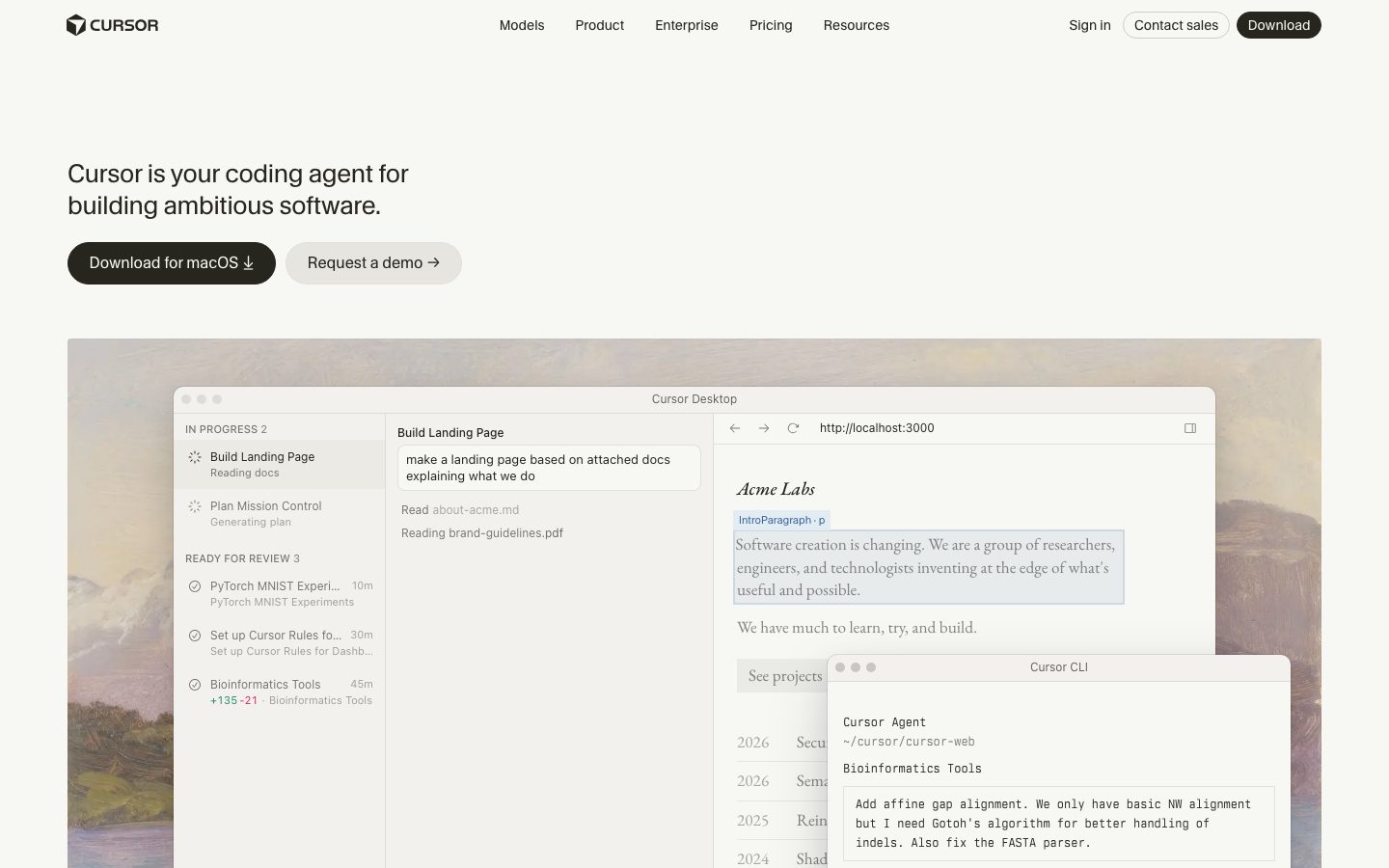
Cursor Website Overview
Cursor has an Ahrefs Domain Rating of 90 and falls within Cloudflare Radar's global top 5,000 popularity bucket. This bucket is unordered, and neither signal represents actual visits.
- Domain rating
- 90
- Popularity position
- Top 5,000
- Primary category
- Unavailable
- Ranked locations
- 0
Ahrefs
Cloudflare Radar
Cloudflare Radar
Cloudflare Radar
Website categories
No category data is available yet.
Top locations by rank
No location ranking is available yet.
Data coverage
Free popularity and domain-authority signals only; no estimated visits or engagement metrics are shown.
Sources: Domain Rating by Ahrefs · Cloudflare Radar · Oct 7, 2026. Cloudflare Radar data is licensed under CC BY-NC 4.0.
Similar tools

Amazon Q Developer
FreemiumAWS development assistant with IDE support ending April 30, 2027
GitHub Copilot
FreemiumAI coding assistance, agents, code review, and CLI workflows across GitHub and your editor
JetBrains AI Assistant
FreemiumJetBrains AI Assistant brings AI chat, code completion, generation, explanation, and refactoring into JetBrains IDEs. It helps developers work with code an
Trae (formerly MarsCode)
FreemiumAI-native coding IDE and agent workspace with SOLO/Work, MCP, custom agents, and repository context
Superagent
FreemiumSecurity platform for AI-native development and agent workflows